Free Video, DVD and YouTube Tools
Convert video and audio files saved on your PC, or open an unencrypted DVD folder with All Free Video Converter. For a YouTube video you own or are allowed to save, use All Free YouTube Downloader: add the link, read the source formats, then choose your output.
These are Windows PC programs. Open this site on your computer to download them.
Most popular free tools
The programs our users download most. Open a tool for features and step-by-step guides, or download its Windows installer.
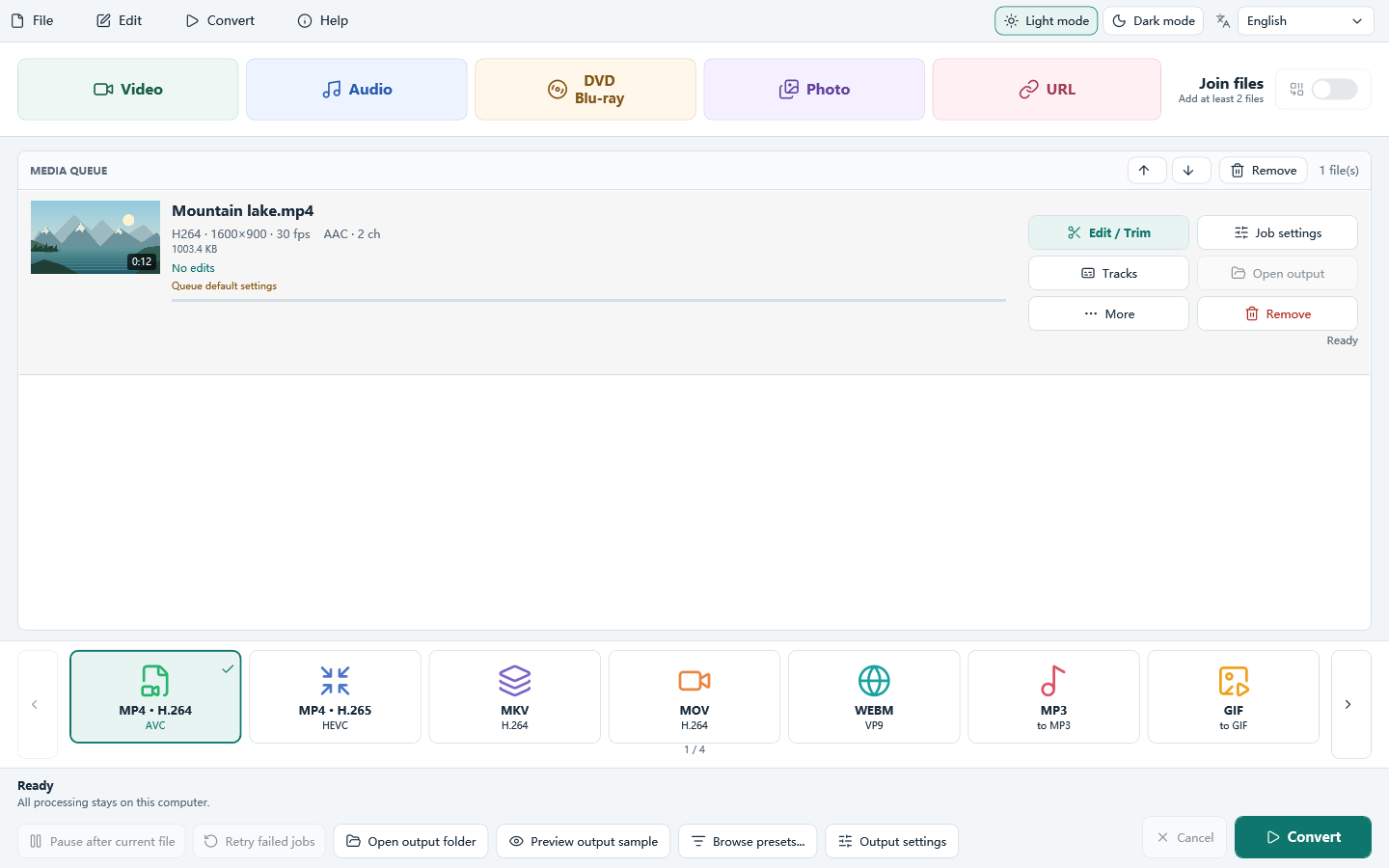
Add, choose, convert
Add a local file with Video or Audio, choose an output preset, then click Convert.
Runs on your PC
Local files are converted without uploading them. Leave enough disk space for the output; a YouTube source needs an internet connection.
Batch conversion
Convert many files in one run instead of one at a time.
Device presets
Ready settings for phones, tablets, TVs and players.
All free tools
Video and DVD tools download All Free Video Converter. YouTube tools download All Free YouTube Downloader.
Video Tools
- Free Video Converter
- Free 3GP Video Converter
- Free MP4 Video Converter
- Free MP4 to AVI Converter
- Free WebM to MP4 Converter
- Free HD Video Converter
- Free FLV Converter
- Free FLV to AVI Converter
- Free CUDA Video Converter
- Free Video Joiner
- Free Video to Android Converter
- Free iPhone Video Converter
- Free iPad Video Converter
- Free iPod Converter
- Free Video to iPod Converter
- Free Video to PSP Converter
- Free Audio Converter
- Free Video to MP3 Converter
- Free FLAC to MP3 Converter
- Free WMA to MP3 Converter
- Free M4A to MP3 Converter
- Free Video to GIF Converter
- Free Audio Video Studio
DVD Tools
YouTube Tools
- Free YouTube to 3GP Converter
- Free YouTube to AVI MPEG Converter
- Free YouTube to WMV Converter
- Free YouTube to MP4 Converter
- Free YouTube to MP3 Converter
- Free YouTube to FLV Converter
- Free YouTube Downloader
- Free YouTube Downloader HD
- Free YouTube Converter
- Free YouTube to iPod Converter
- Free YouTube to PSP Converter
Step-by-step tutorials
Short guides with screenshots for the most common tasks.
Questions
Are these programs free?
Yes. All Free Video Converter and All Free YouTube Downloader are free to download.
Which Windows versions are supported?
Both programs run on 64-bit Windows 11 and Windows 10. They do not run on Mac, Android or iPhone.
Do I need to upload my files?
No. Local files are converted on your PC without upload. The YouTube downloader needs an internet connection; video download starts when you click Convert.
Which download should I choose?
Choose All Free Video Converter for local video or audio files and unencrypted DVD folders. Choose All Free YouTube Downloader for a readable YouTube link you are allowed to save; its first button is Add YouTube link.
Start with All Free Video Converter
Convert, trim and queue video and audio on your PC. For a YouTube link, open a YouTube tool and download All Free YouTube Downloader.