Free ISO Ripper
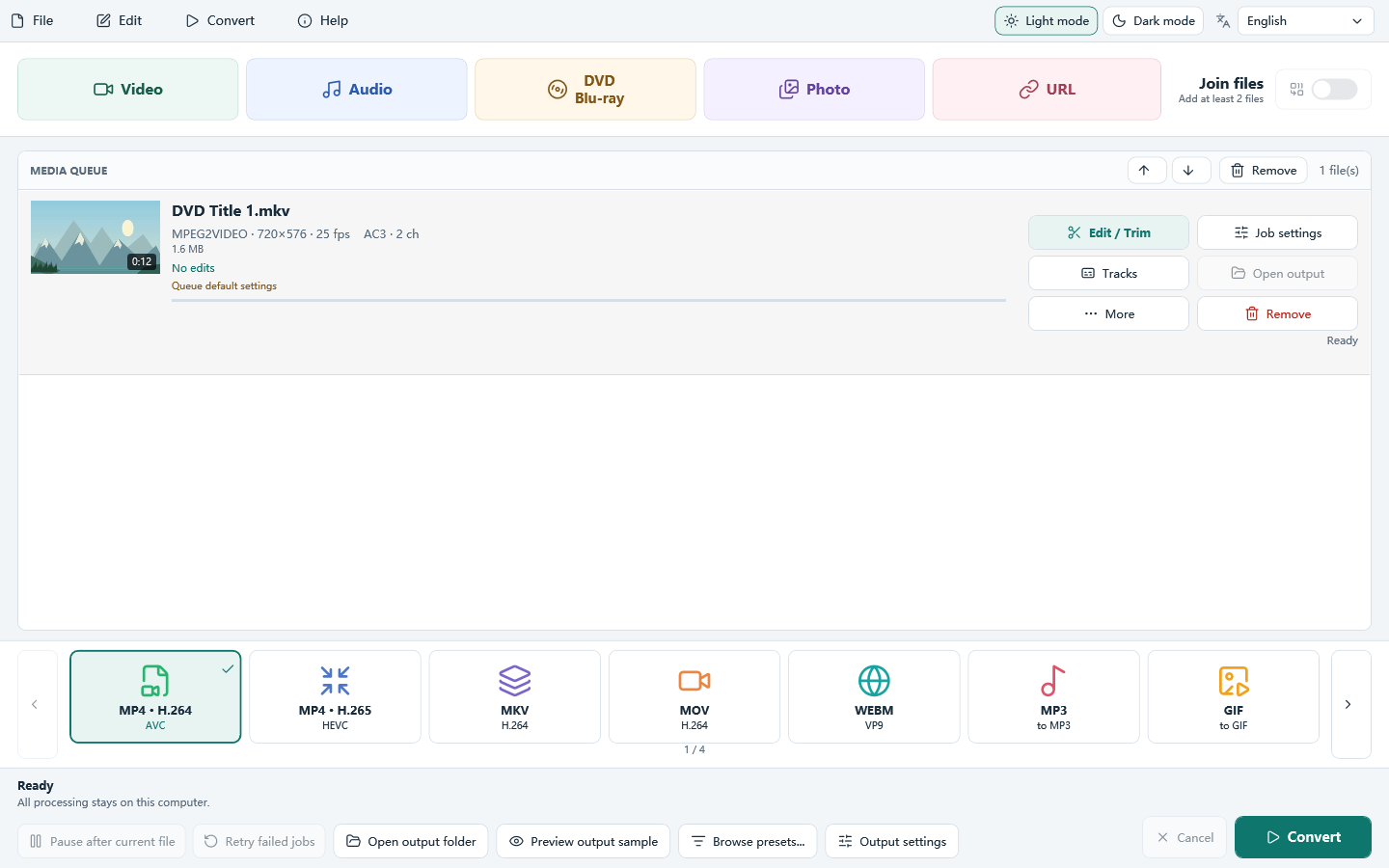
Free ISO Ripper downloads All Free Video Converter. Use it to open a DVD folder and make an ISO. Files are converted on your Windows PC and are not uploaded.
This is Windows PC software. Open this page on your computer to download and install it.
- Cost
- Free to download and use
- Runs on
- Windows 11 and 10
- Setup file
- 77.8 MB
- Version
- 8.1.0
How to open a DVD folder and make an ISO in 3 steps
No experience needed. The whole process takes a few clicks.
Add an unencrypted disc folder
Add a VIDEO_TS folder, a BDMV folder, or video files you already have. Protected discs are not decrypted.
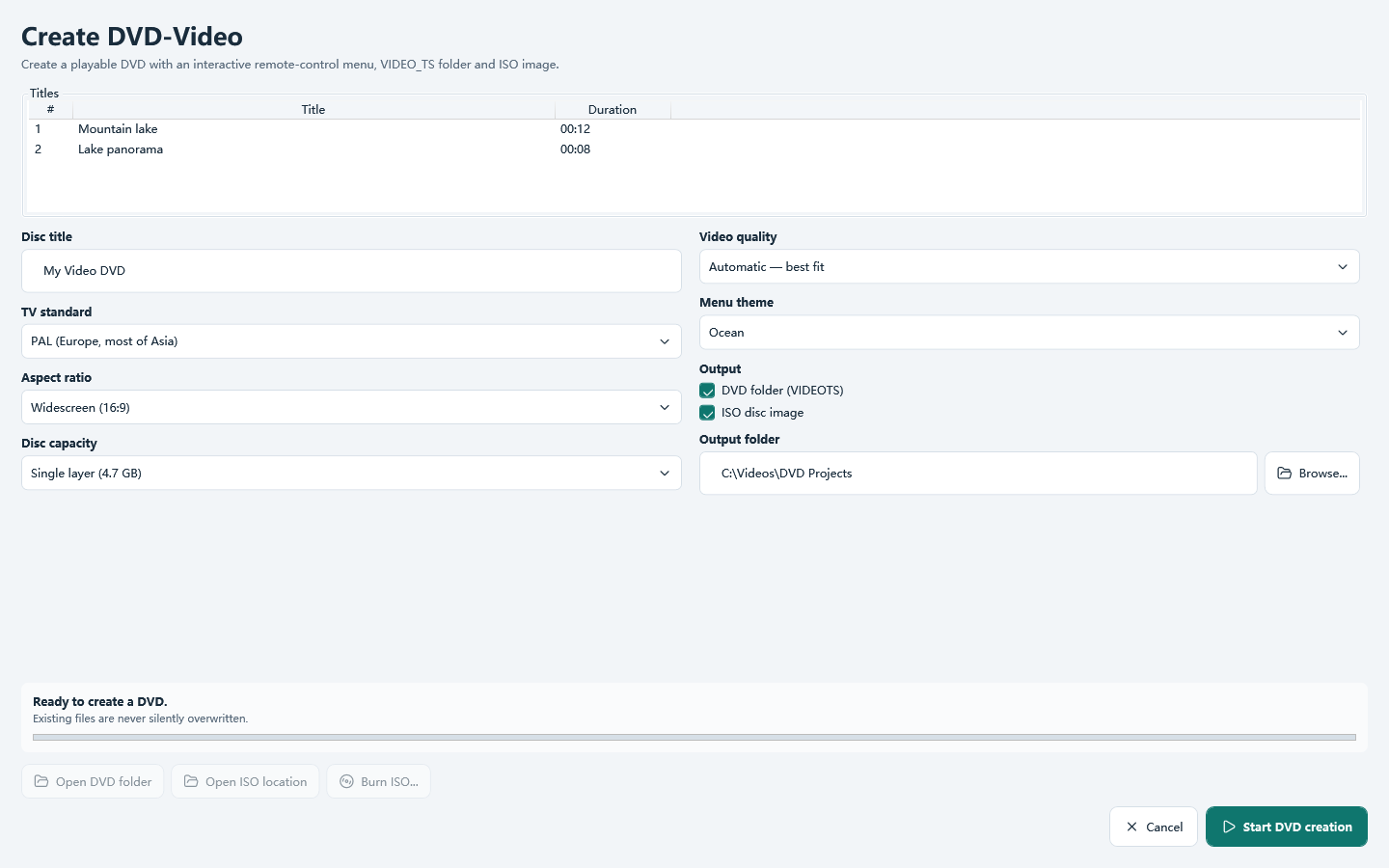
Choose DVD or Blu-ray
Select DVD or Blu-ray on the main window, or open the preset browser for a device profile.
Set the quality and convert
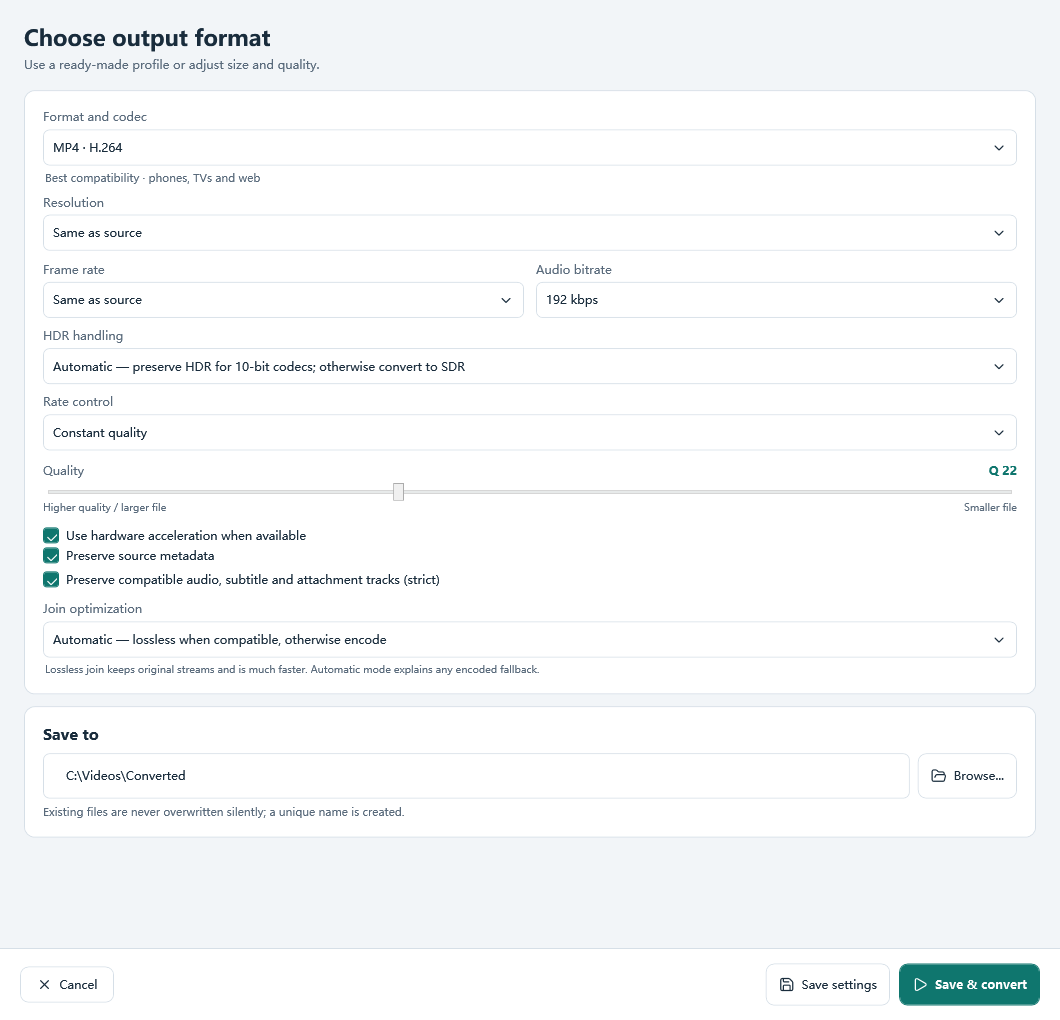
Choose a quality, bitrate or target size, pick the output folder and click Convert. The work stays on your PC.
What you can do with Free ISO Ripper
Folder to ISO
Read an unencrypted VIDEO_TS or BDMV folder, then write a DVD or Blu-ray ISO.
Batch queue
Add many files, set options per file and convert the queue in order.
Quality and size
Use constant quality, an average bitrate or a target file size.
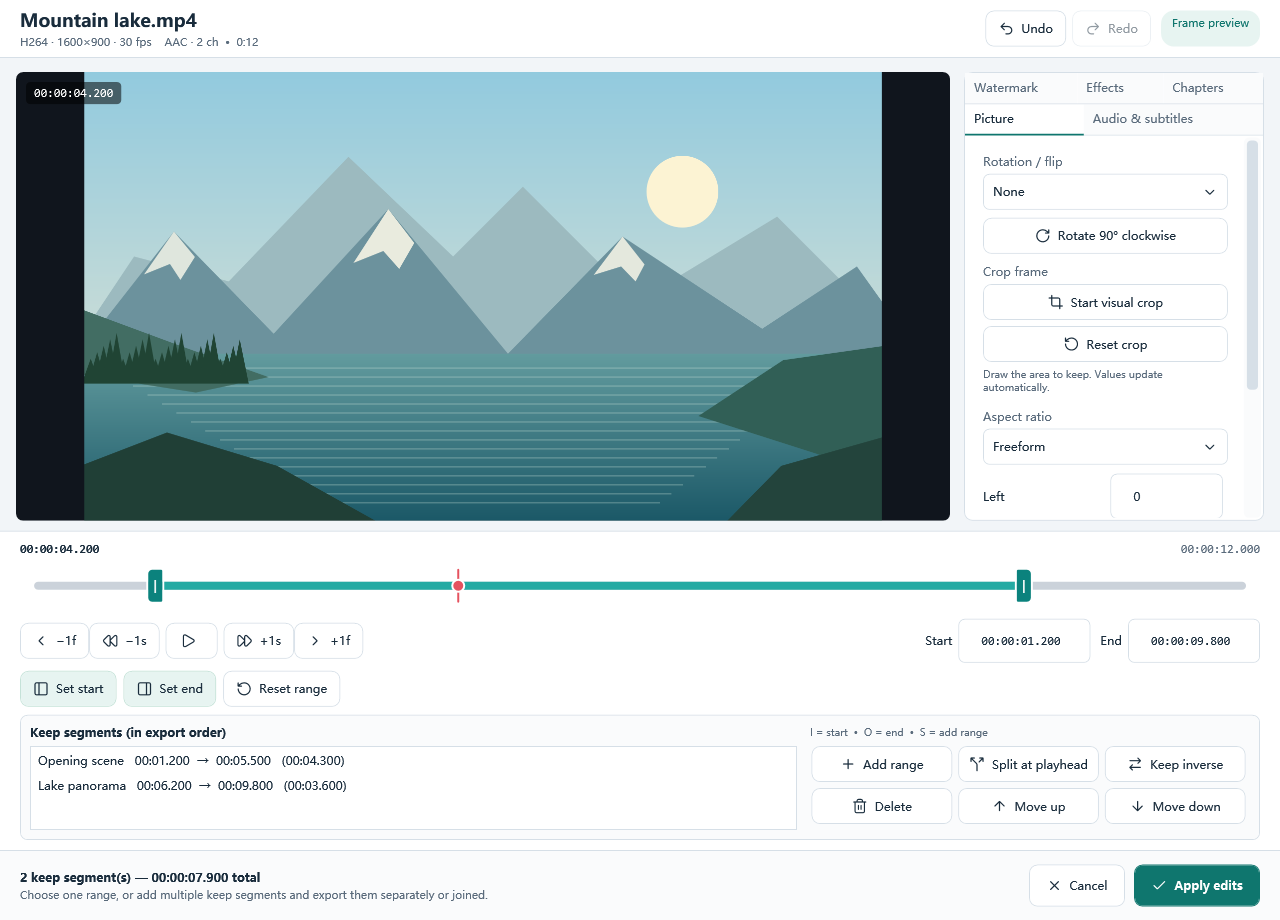
Trim and crop
Keep a range or several segments, then crop, rotate or flip before you convert.
GPU when available
NVIDIA, Intel and AMD encoders are used when your PC has that encoder.
No added watermark
The program does not stamp its own watermark onto the output.
Download All Free Video Converter
This page uses All Free Video Converter. Open an unencrypted DVD folder and write an ISO.
Frequently asked questions
Is Free ISO Ripper free?
Yes. The download is All Free Video Converter, and it is free. This page covers one job inside that program.
Does it run on Windows 11 and Windows 10?
Yes. It is a 64-bit desktop program for Windows 11 and Windows 10. It does not run on Mac, Android or iPhone.
Do I have to upload my files?
No. Local files are converted on your PC. A YouTube link is downloaded only when you click Convert, and only if the download module can read it.
Is there an online converter on this page?
No. This is Windows software. Open the page on your computer to download it.
Will it copy a protected disc?
No. It does not remove CSS, AACS, BD+ or other copy protection.
Can it copy a protected DVD or Blu-ray?
No. It reads unencrypted VIDEO_TS and BDMV folders. It does not remove CSS, AACS, BD+ or other copy protection.
Only unencrypted VIDEO_TS and BDMV folders can be opened. The program does not remove copy protection.