Free CUDA Video Converter
Free CUDA Video Converter downloads All Free Video Converter. Use it to convert with a GPU encoder. Files are converted on your Windows PC and are not uploaded.
This is Windows PC software. Open this page on your computer to download and install it.
- Cost
- Free to download and use
- Runs on
- Windows 11 and 10
- Setup file
- 77.8 MB
- Version
- 8.1.0
How to convert with a GPU encoder in 3 steps
No experience needed. The whole process takes a few clicks.
Add your files
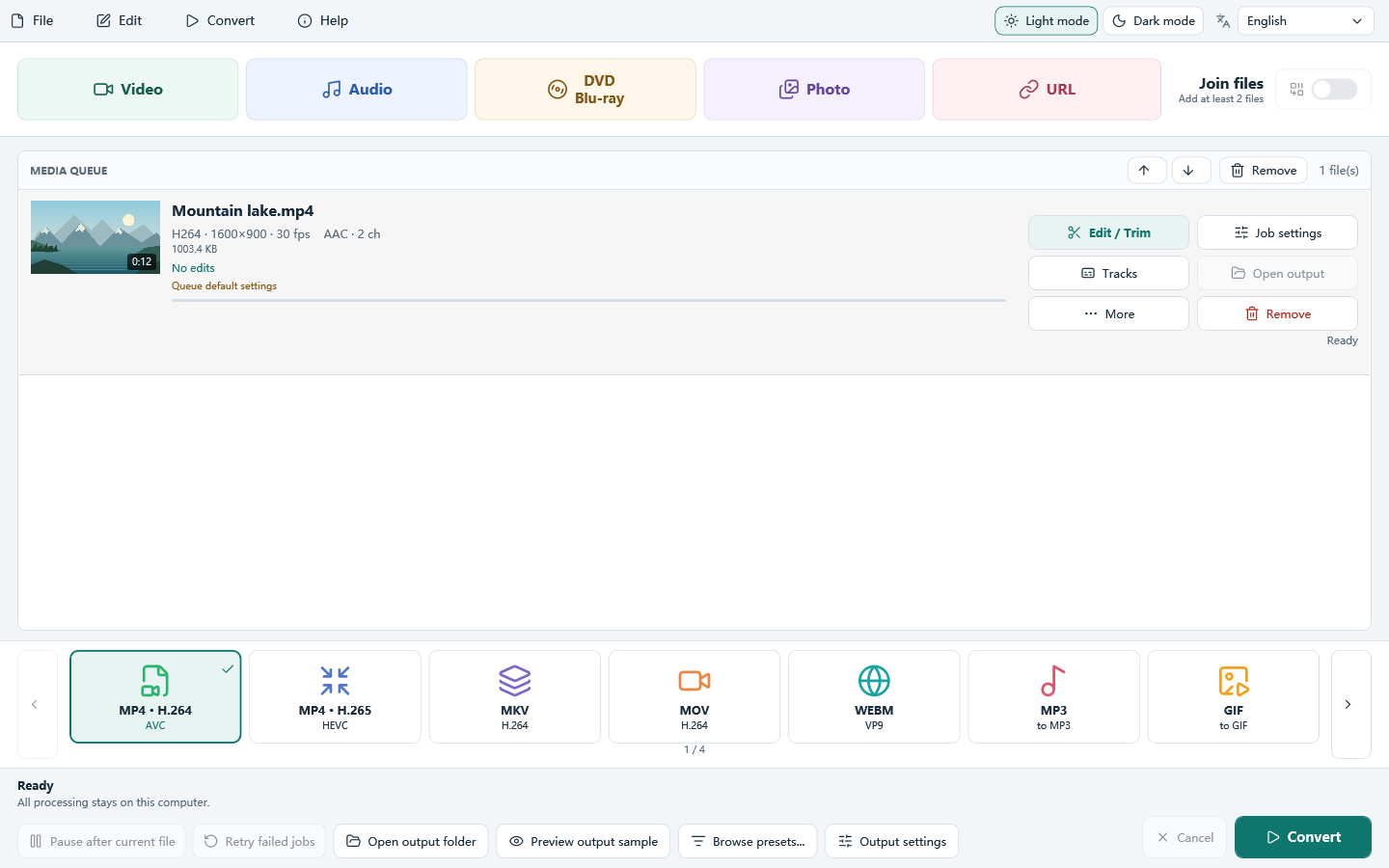
Add one file, several files or a folder. You can also drop files onto the window. Each item shows a thumbnail and its details.
Choose MP4
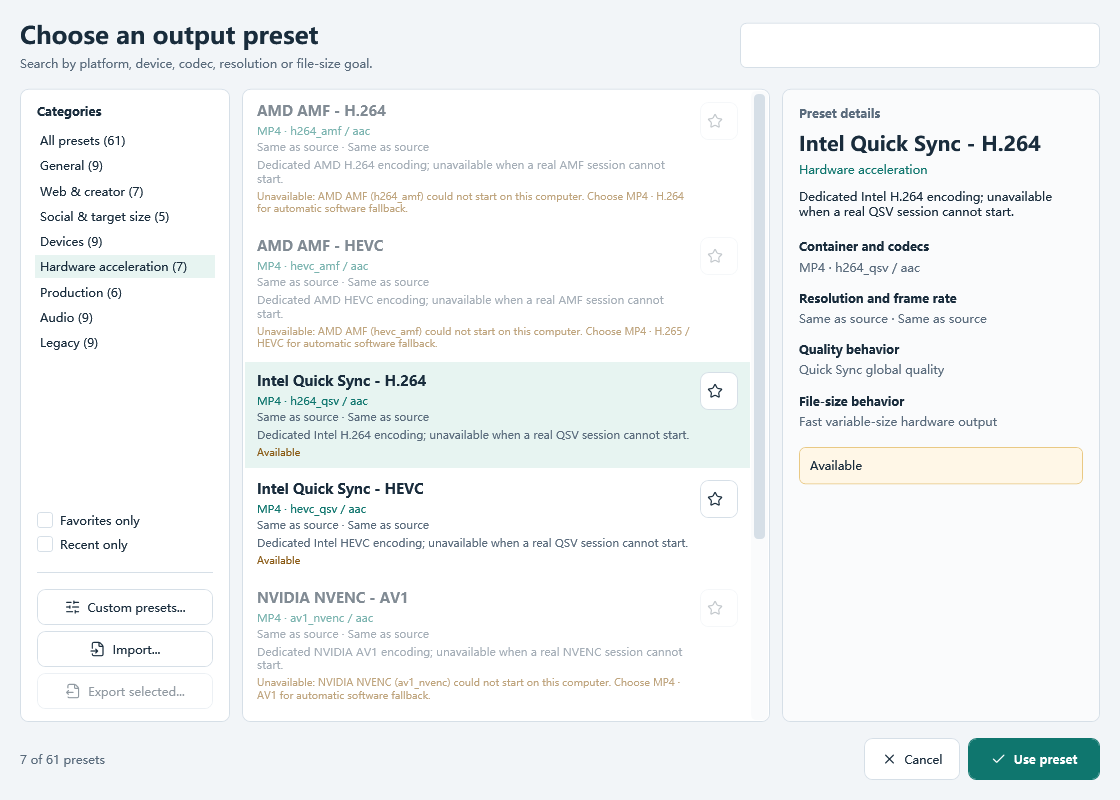
Select MP4 on the main window. Open the preset browser if you want a device, web or archive profile.
Set the quality and convert
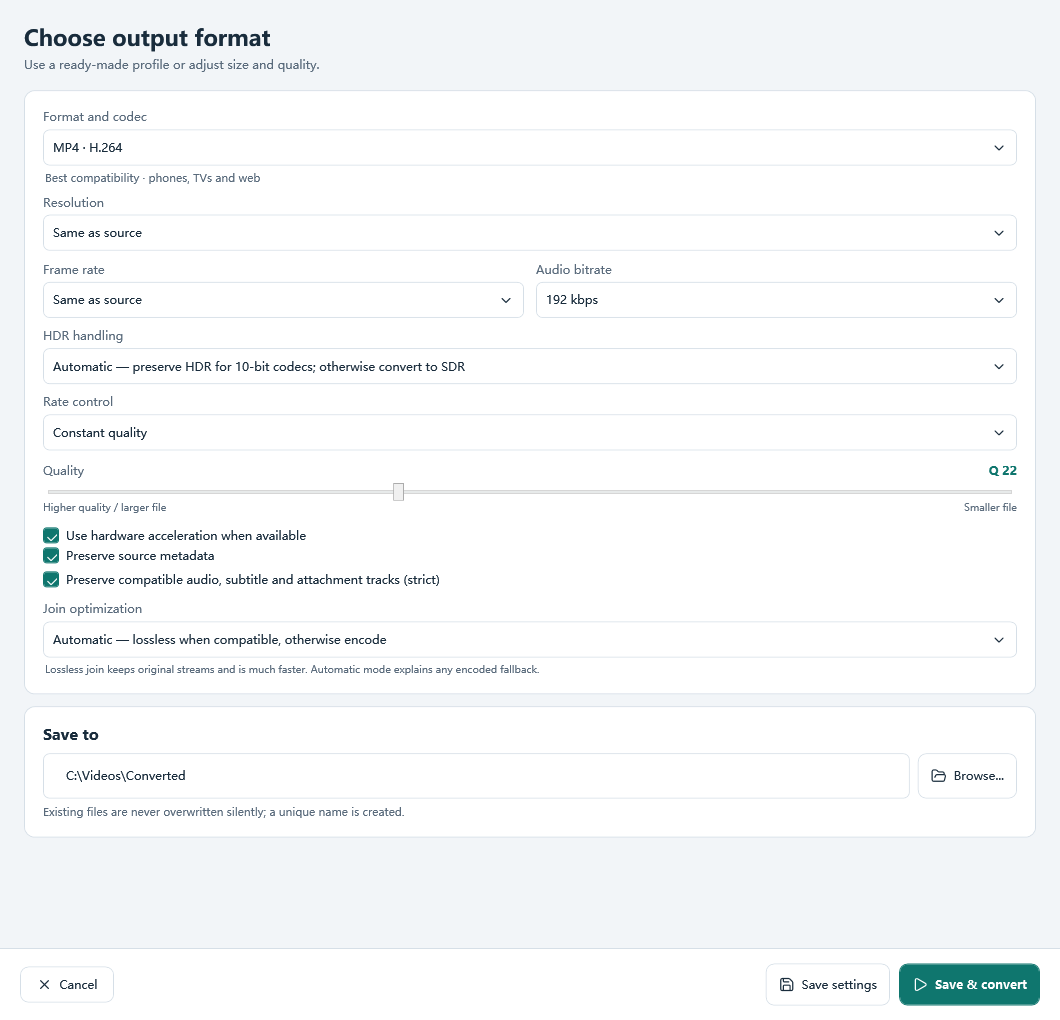
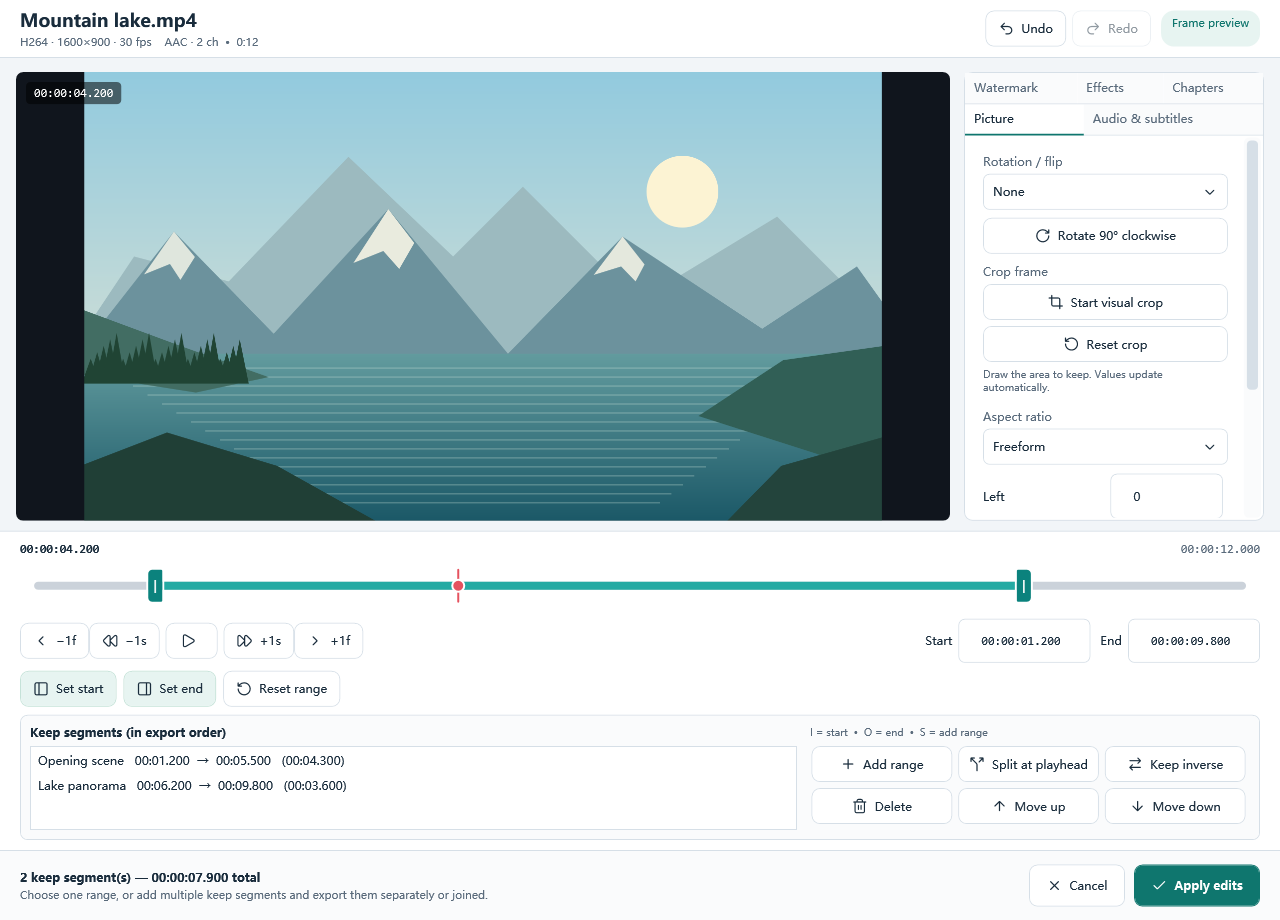
Pick constant quality, a bitrate or a target size. Then click Convert. You can trim or crop first if you need to.
What you can do with Free CUDA Video Converter
GPU encoders
NVIDIA NVENC, Intel Quick Sync and AMD AMF are used when that encoder is available.
Batch queue
Add many files, set options per file and convert the queue in order.
Quality and size
Use constant quality, an average bitrate or a target file size.
Trim and crop
Keep a range or several segments, then crop, rotate or flip before you convert.
GPU when available
NVIDIA, Intel and AMD encoders are used when your PC has that encoder.
No added watermark
The program does not stamp its own watermark onto the output.
Download All Free Video Converter
This page uses All Free Video Converter. GPU-accelerated video conversion.
Frequently asked questions
Is Free CUDA Video Converter free?
Yes. The download is All Free Video Converter, and it is free. This page covers one job inside that program.
Does it run on Windows 11 and Windows 10?
Yes. It is a 64-bit desktop program for Windows 11 and Windows 10. It does not run on Mac, Android or iPhone.
Do I have to upload my files?
No. Local files are converted on your PC. A YouTube link is downloaded only when you click Convert, and only if the download module can read it.
Is there an online converter on this page?
No. This is Windows software. Open the page on your computer to download it.
What if my PC has no supported GPU?
The program uses software encoding. Hardware encoding is only offered when the encoder is detected.